


Shopping List - Simple & Easy
4.55.49K Reviews
App Specs
- Version
- 3.30
- Updated On
- License
- Free
- Downloads
- 1,000,000+
- Developer
- Opulogic Inc
- Categories
- Shopping
- Platform
- Android, iOS
Screenshots
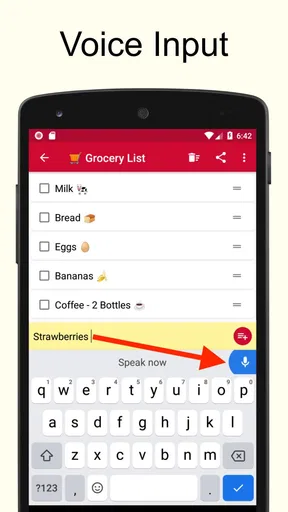
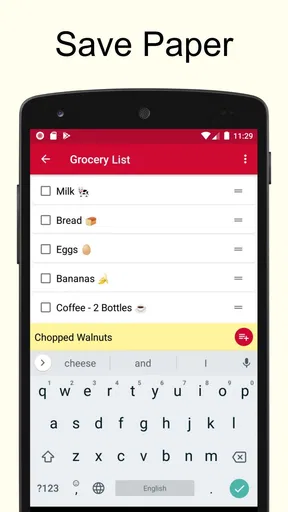
 Analysis by AppCompare
I usually notice the value of a shopping list app at the least glamorous moment: standing in a supermarket aisle, trying to remember whether I already picked up the item I came for. A phone list can prevent that familiar backtracking, but only if it is quick to use and easy to read when I’m in a hurry. Shopping List - Simple & Easy is built around that everyday job rather than turning grocery planning into a bigger project.
That focus makes it a reasonable fit for people who want a straightforward place to jot down groceries, keep errands separate, and check items off as they shop. I would not choose it for elaborate meal planning or household inventory management, but for a practical list that is ready when you need it, the simple approach has real appeal.
Where a simple list can still cause friction
A basic list sounds effortless, yet the small decisions can add up: what to call an item, whether to include a quantity, and where to put it so it is easy to find later. The app’s appeal is that it keeps the central task clear. You can type an item, add a quantity or note when useful, and organize items into sections rather than treating the whole shop as one long stream.
That is helpful when a list is being made over several days. I might add coffee after noticing the jar is nearly empty, then add vegetables while planning dinner, and finally include detergent before heading out. A single unstructured list can become hard to scan; sections help me spot related items without having to rethink the order of every entry.
There is still a trade-off: organization only saves time if I use it consistently. If I put one item under “Dairy,” another under a custom section, and leave the rest uncategorized, I have created extra sorting work for myself. My practical approach would be to keep a small set of familiar sections and add detail only when it helps me shop. The best list is not the most carefully arranged one; it is the one I can understand at a glance.
Getting Started with Shopping List - Simple & Easy
First things first, downloading Shopping List - Simple & Easy is a breeze. Whether you're on Android or iOS, just hit up your respective app store, and you'll be all set in no time. The app installs quickly, and before you know it, you're ready to dive into the world of organized shopping.
Now, I know what you might be thinking. "Another shopping list app?" But hang on, this one's got a few tricks up its sleeve. The moment you open the app, you're greeted with a clean, no-frills interface that speaks to its claim of being simple and easy. It’s like walking into a well-organized pantry, everything in its place, and nothing too overwhelming.
Worth Reading Before You Choose

Flipboard Shows What News Apps Must Do Beyond the Feed

Switching to Android Auto Means Rethinking Your Driving Routine

Google Calendar Makes a Crowded Week Easier to Manage

Ludo King Makes the Most of the Minutes Between Plans

Baby Panda World Brings Quick Play to Modern Phones, but Its Game Library Feels Busy

ESPN’s Live Game View Makes Following Close Games Easier
Features That Make Life Easier
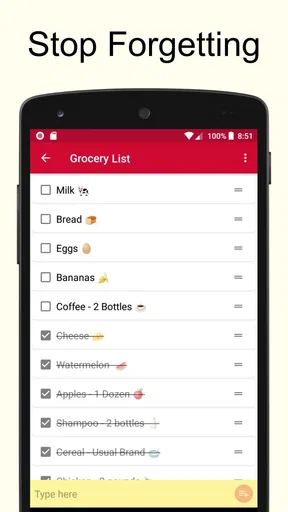
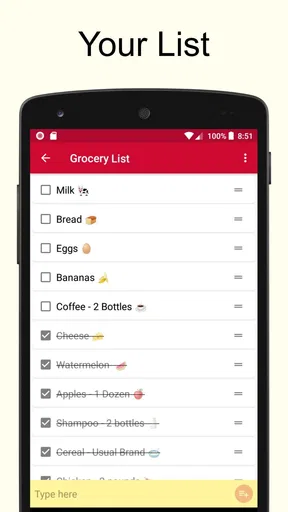
Alright, let's talk about those features. At its core, this app does what it says on the tin: it lets you create shopping lists. But it does so with a level of ease that I genuinely appreciate. Adding items is as straightforward as typing them in, with an option to add quantities and notes if you’re feeling extra detailed.
One useful habit is to treat the quantity and note fields as memory aids, not paperwork. “Two” beside an ingredient can prevent a second trip, while a short note can distinguish the version I actually want from another item with a similar name. I would keep those notes brief: the goal is to answer a question quickly in the aisle, not to turn each grocery entry into a recipe card.
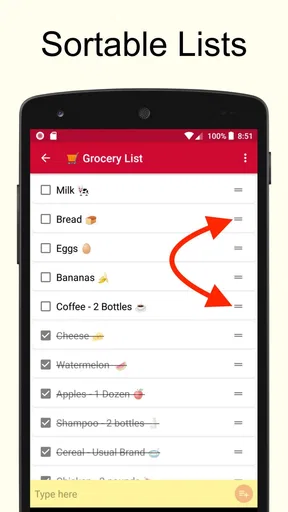
What really caught my attention is the ability to categorize items. You can create sections like "Fruits," "Vegetables," "Dairy," etc., and assign items accordingly. This feature is a game-changer, especially if you're not a fan of zigzagging across the grocery store. It’s like having a magical map that guides you through your shopping journey.
There is a practical limit to that advantage. Sections can make a familiar shop easier to navigate, but they do not know the layout of every store I visit, so I would not expect them to provide a route or automatically arrange products by aisle. If I shop at different supermarkets, broad groups such as produce and household goods are more dependable than a detailed arrangement built around one location.
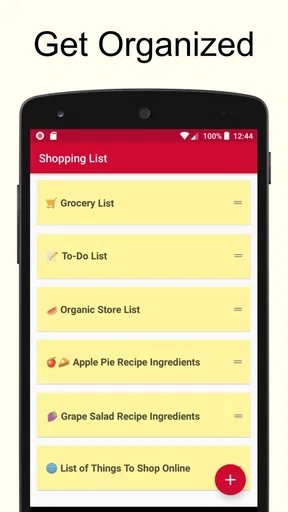
The app also supports multiple lists. So, if you're planning a party or prepping for a big holiday dinner, you can create separate lists without any fuss. It keeps things neat and organized, just the way I like it.
Separate lists also work well for keeping ordinary errands from crowding out groceries. I could keep a regular food shop distinct from a one-off gathering, or make a short list for a hardware or pharmacy stop. The useful trade-off is clarity: I need to open the right list before adding something, so I would name each one in a way that makes its purpose obvious instead of relying on memory.
A User Experience That’s Truly Simple
One thing that stands out is the app's user experience. There are no annoying ads popping up every five seconds, which is a blessing in today’s ad-driven world. The interface is intuitive, with everything laid out just where you’d expect it to be. It’s almost as if the app anticipates your next move, making navigation a breeze.
For a realistic weekly routine, I would start the list at home while checking the fridge, then add missing ingredients as I decide what to cook. Before leaving, I would scan the sections once, add quantities for anything easy to confuse, and keep the phone accessible while shopping. That small check is more useful than trying to build a perfect list from scratch at the store entrance.
If a list seems incomplete, I would first check whether I am looking at the intended list and whether I added the item to the section I meant to use. When an entry is hard to interpret, a more specific name or a short note is a better fix than creating several near-duplicate entries. These are simple recovery steps, but they help keep a lightweight tool from becoming cluttered.
Another aspect worth mentioning is its offline capabilities. You don't need an active internet connection to access your lists, which is a lifesaver when you’re in a store with poor reception. It’s those little details that make this app feel like a reliable shopping companion.
That offline access is especially useful once I am already in the shop: I can refer to the list even if the signal drops, rather than making connectivity part of the shopping routine. I would still prepare the list before leaving home, when I have time to think through quantities and notes. Offline availability solves the “can I see my list here?” problem; it does not replace the planning step.
People deciding whether this is suitable may also wonder about cost and compatibility. It is free to install, is rated for Everyone, and the listed in-app purchases range from around two to three dollars per item. The current version is 3.14, and it requires Android 8.0 or later on Android. Opulogic Inc is the developer. The app has a 4.5 average from around 27,000 ratings and more than a million installs, which suggests it has found an audience among people looking for a focused shopping aid.
Compared with writing on a scrap of paper, the app keeps separate lists and lets me add notes or quantities without squeezing everything into the margins. Compared with a full-featured meal-planning or grocery service, it asks less of me and is easier to keep focused on the immediate errand. That simplicity is a strength for solo shoppers and anyone who wants a digital replacement for a basic list; it is less compelling for households that need coordinated changes across several people or want shopping tied to recipes and pantry tracking.
Room for Improvement
While Shopping List - Simple & Easy delivers on its promise of simplicity, there are a couple of areas where it could elevate the user experience even further. For instance, integrating a barcode scanner for adding items could be a nifty addition. It would save time for those of us who prefer to scan rather than type.
I would also think about how the list fits into a shared household routine before choosing it as the only place to record groceries. If one person writes the list and another does the shopping, an app that explicitly supports shared editing may be a better match than relying on one person’s phone. The same goes for shoppers who want lists to sync across devices: they should choose a tool that clearly suits that workflow rather than assuming a basic list will cover every collaboration need.
Also, while the app is free, offering a premium version with additional features like cloud sync, sharing lists with family, or even recipe suggestions could attract users looking for a more comprehensive tool.
One other limitation is that a simple list depends on the person maintaining it. It will not decide what is running low in the kitchen or plan meals for me; I still need to notice what is missing and write it down. If I want automatic pantry tracking, recipe discovery, or a coordinated family shopping system, I would look for a more specialized alternative. If I simply forget a few items and want a clear checklist, those larger systems may feel like unnecessary overhead.
Wrapping It Up
In a world where simplicity often gets overshadowed by a barrage of features, Shopping List - Simple & Easy stays true to its name. It’s a no-nonsense app that does its job without any unnecessary bells and whistles. If you’re someone who values efficiency and wants to streamline your grocery shopping experience, this app is definitely worth checking out.
So, next time you’re about to head out for some groceries, give Shopping List - Simple & Easy a spin. You might just find yourself wondering how you ever managed without it. Happy shopping!
Pros
- User-friendly interface for quick setup.
- Supports voice input for hands-free use.
- Syncs across devices seamlessly.
- Customizable categories for better organization.
- Offline access for convenience anywhere.
Cons
- Lacks barcode scanning feature.
- Limited integration with other apps.
- No price tracking or comparison tool.
- Ads can be intrusive without premium.
- No option for multiple accounts.
FAQs for Shopping List - Simple & Easy
What features does Shopping List - Simple & Easy offer?
Shopping List - Simple & Easy provides a user-friendly interface for creating and managing shopping lists. It allows users to easily add, edit, and delete items. The app also supports categorizing items, setting priorities, and sharing lists with others. Additionally, it offers a barcode scanner for quick item addition.
Is Shopping List - Simple & Easy available for both Android and iOS?
Yes, Shopping List - Simple & Easy is available for download on both Android and iOS platforms. You can find it on the Google Play Store for Android devices and the Apple App Store for iOS devices, ensuring compatibility with a wide range of smartphones and tablets.
Does the app require an internet connection to function?
No, Shopping List - Simple & Easy does not require an internet connection for its core functionality. Users can create and manage their shopping lists offline. However, features like sharing lists with others or syncing across devices may require internet access.
Are there any in-app purchases or ads in Shopping List - Simple & Easy?
The app is free to download and use, but it may include in-app purchases to unlock premium features such as ad removal, additional themes, or enhanced sharing capabilities. Ads might be present in the free version to support development and maintenance.
How does the barcode scanner feature work in Shopping List - Simple & Easy?
The barcode scanner allows users to quickly add items to their shopping lists by scanning the product barcode with their device's camera. This feature recognizes a wide range of barcodes and automatically retrieves product details, making the process of list creation faster and more efficient.


